Managing Order Admin Data [Guide]
Last updated: September 29, 2026
The Admin tab within an order provides a structured, easily readable view of advanced backend information, including custom integration fields and external system payloads. This allows you to quickly verify data sent from or to your Host System without parsing through raw code blocks.
This guide covers how to view and manage custom integration data within the order Admin tab.
 | Before proceeding, ensure you have the necessary permissions. Review techSHIP User Permissions Structure [Information] for more information. |
TABLE OF CONTENTS
Accessing the Admin Tab
| |
Before proceeding, ensure you are operating the right location.
 |
 | Navigate to the My Orders page using the main navigation menu. |
 | Use the Search bar or the Filters menu to locate the specific order. |

 | Click on the desired order's Trans. ID to open its edit page. |

 | Click the Admin tab. |

Viewing Order Admin Data
When you access the Admin tab inside an order, the information is divided into two primary sections: Additional Host System Data and Custom Fields Data. Instead of displaying a single block of raw text, techSHIP organizes each top-level property into its own dedicated row.
| If a section contains no data or empty values, it will simply display as No fields. |

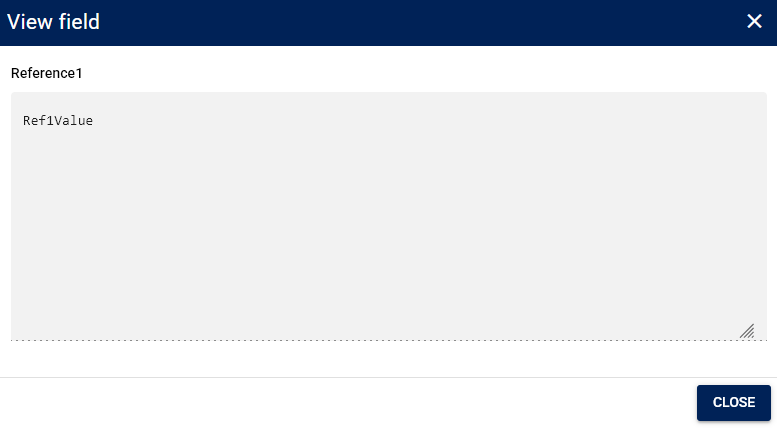
 | To inspect a specific property, click the View field icon next to the desired row. This opens a dialog displaying the complete value, which is especially useful for reading long text strings or nested objects. |
 | To review the entire payload for a section, click the View raw button located at the top right of the section header. This displays the complete, unedited JSON structure for quick copying or inspection. |

Modifying Order Admin Data
 | Modifying advanced order data is restricted strictly to authorized Techdinamics personnel. Incorrectly altering JSON payloads or custom fields can permanently disrupt order processing, carrier rating, or Host System updates. |
Because these fields control core backend logic and Host System communication, end-users with the proper permissions are granted read-only access to this tab. If you identify a data discrepancy or require a modification to a specific payload value on the Admin tab, please contact Support to request the change safely.