techSHIP Desktop Client Supported Scales & Dimensioners [Information]
Last updated: November 4, 2026
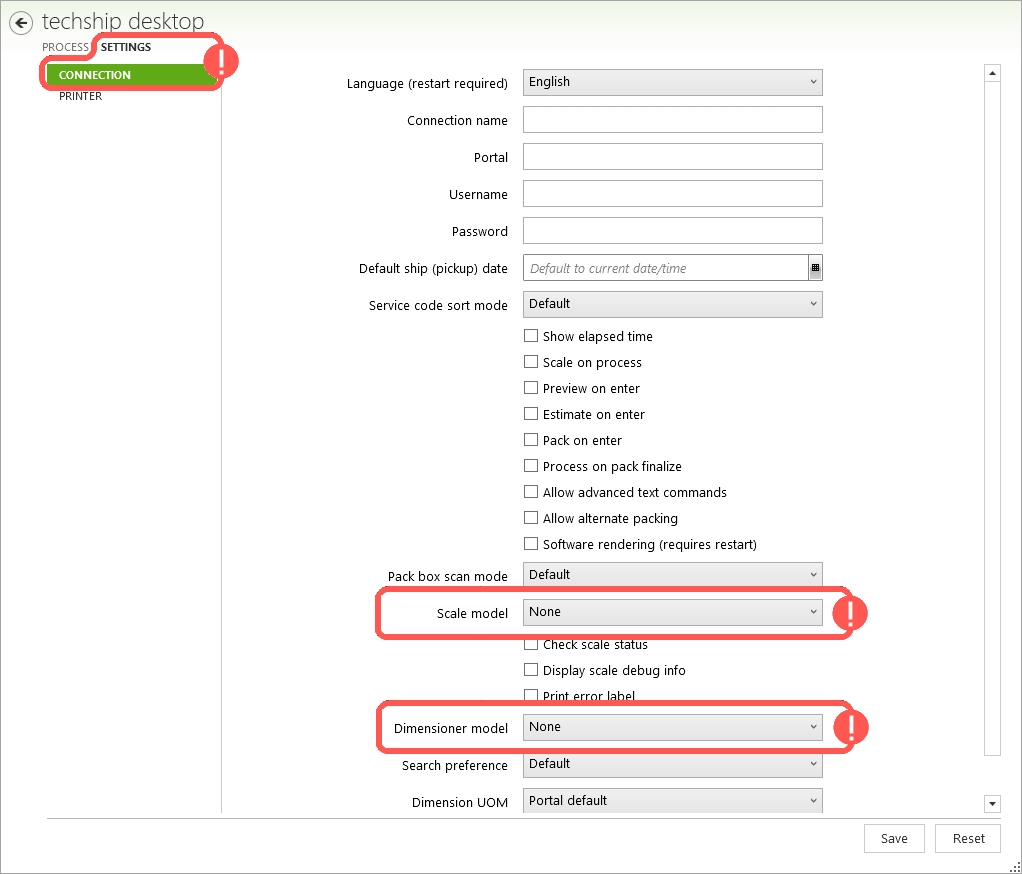
Using scales and dimensioners with the techSHIP Desktop Client allows you to capture package weight and dimensions while packing instead of relying on information preloaded from your Host System.
This article identifies the supported scale and dimensioner models and their setup requirements. You can configure these devices in the Settings section of the techSHIP Desktop Client.
Scales
Selecting a scale model from the dropdown allows you to enable the use of a scale.
The currently supported scale models and types are the following:
Mettler Toledo PS60 / BC60
Fairbanks SCB-9000
Any scale using SCP-15 protocol
MyWeigh HD 150 / 300
Stamps.com
Precia Molen i5
Mettler Toledo IND231/236
OHaus T31P/T31XW
Dymo USB scales
Arlyn (with Scale address and port)
You might try other models, but correct functioning is not guaranteed for those.
Some models might require additional parameters to configure other than just choosing the option, for example: 📄 Setting up a Generic USB Scale in Techship Desktop Client [Step-by-Step Guide].
The techSHIP Desktop Client is compatible with USB scales only, COM scales are not supported.
Dimensioners
Selecting a Dimensioner model from the dropdown allows you to enable the use of a Dimensioner.
These are typically connected to scales, so dimensions but also weight are obtained together, so in that case, Scale will also automatically change to match the Dimensioner you select.
The currently supported Dimensioner models are the following:
Model | Additional Setup |
|---|---|
Tricolops Dimensioner | Requires manual selection of Tricolops Dimensioner as scale |
Cargo Spectre | Requires providing the Dimensioner URL |
Cubiscan | Requires providing the Dimensioner URL |
Cubiq | Requires providing the Dimensioner API Key and Machine |
Cubiq v2 | Requires providing the Dimensioner API Key and Machine |
vMeasure Ultima | Requires providing the Dimensioner URL, System ID and Username |
FreightSnap | Requires providing the Dimensioner URL |
enVision K150S | Requires providing a Dimensioner URL. If you're using a cloud URL, you must also provide an API key. When you click Scale, the Desktop Client automatically sends the current order number as the measurement's transaction reference, falling back to the order's internal numeric ID if unavailable. This replaces any static |