How to find/filter Receipts [Step-by-Step Guide]
Last updated: September 29, 2026
When you manage Receipts, you might need to find a specific one or groups of them.


To find or filter Receipts you will have to:
1. Click Receipts under Purchases
2. Filter information using the search bar to Quick Search (by reference numbers), Quick Search by Status choosing status options from the dropdown, or click on the filter icon to perform an Advanced Search

The Advanced Search section includes the following fields:
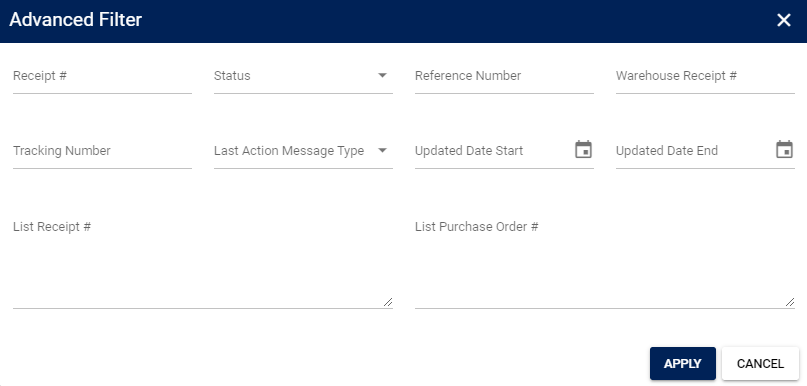
- Reference numbers: Enter the value(s) to include it in the search
- Receipt number
- Reference number
- Warehouse Receipt number
- Tracking number
- List Receipt number
- List Purchase Order number
- Status: Select the Purchase Order status to include it in the search (includes sent, cancelled, received, new, etc)
- Last Action message type: Select the Purchase Order last Action Message type (status) to include it in the search (includes info, warning, error or fatal)
- Start and End Update date
3. Review the information that has been filtered