How to edit a Bundle [Step-by-Step guide]
Last updated: September 29, 2026
Editing Bundles might require changing, adding and/or removing SKUs within it.
To do so:
1) Click in Integrated Flow / SKU Map and Select the Warehouse or Sales Channel
2) Click Bundle to enable the bundle SKU editing process

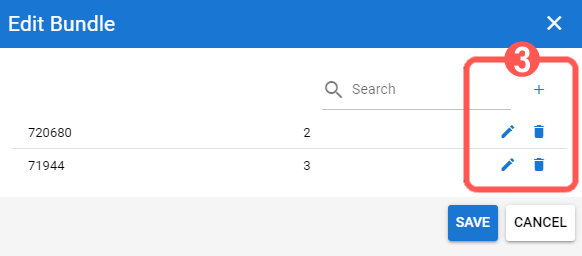
3) Click the Add, Edit or Delete button according the the case
- Add and Edit will require additional action described in Steps 4, 5 and 6
- Delete will automatically delete the SKUs from the bundle
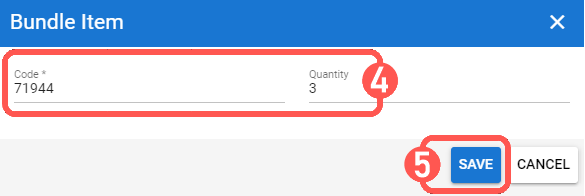
4) Define the SKU Code and Quantity to add/modify to the Bundle
5) Press Save to confirm the action
6) Repeat steps 4 and 5 as many times as SKUs to edit as needed
7) Press Save to complete the Bundle setup

