How to Edit a Webhook [Step-by-Step Guide]
Last updated: November 2, 2026
techOMS webhooks send outbound notifications to external systems when configured business events occur. Editing an existing webhook lets you update how those notifications are delivered without recreating the webhook.
Use this guide to modify an existing webhook in the selected Account and understand how those changes can affect pending deliveries.
To edit a webhook:
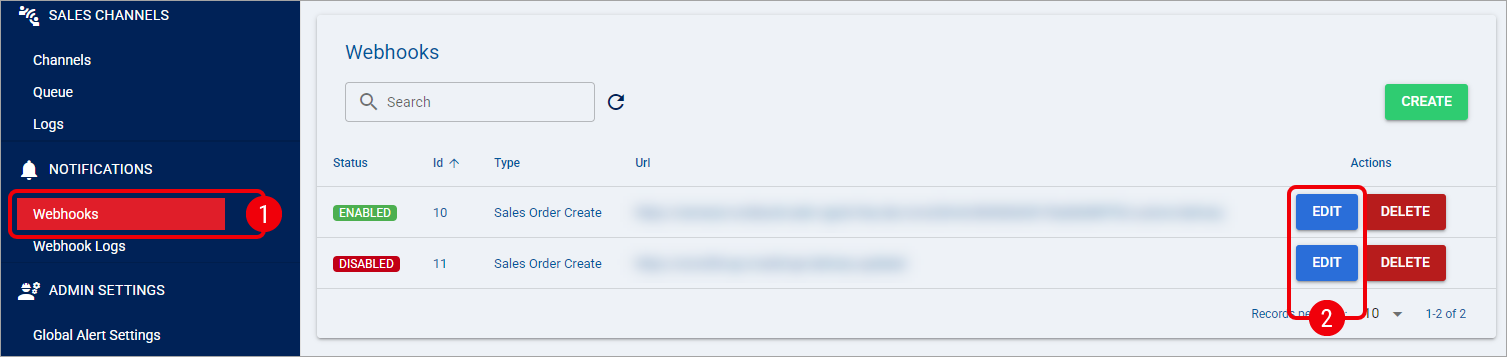
Click Webhooks under Notifications.
Click Edit in the row of the webhook you want to update.
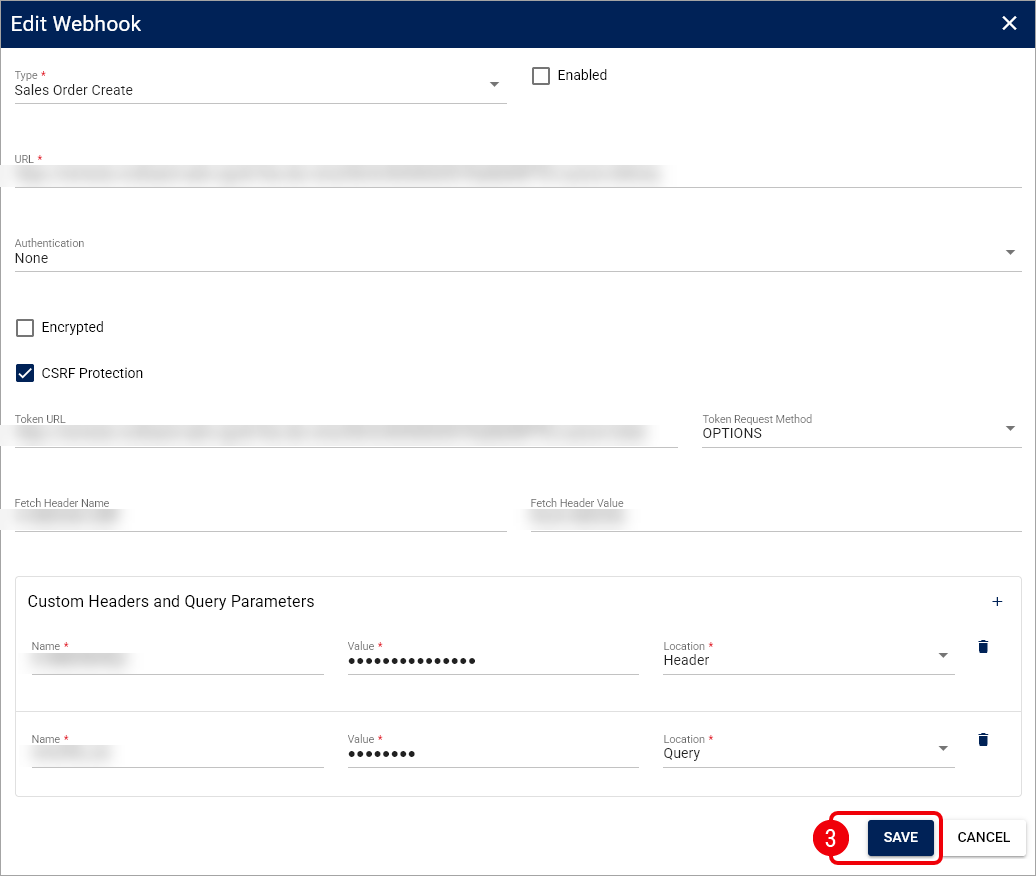
Update the required settings in Edit Webhook and click Save once finished.
For details about the available configuration fields and options, see the configuration fields section in 📄 How to Create and Set Up a Webhook [Step-by-Step Guide].
A pending delivery whose saved destination still matches the webhook uses the webhook's current authentication credentials and request settings at the next attempt. If you disable the webhook, its associated pending deliveries stop and record a failure. If you change the URL, previously queued notifications are not redirected to the new destination and stop with a recorded failure.
Previously saved notification payloads and signatures are not regenerated when you change the webhook configuration.