How to find/filter Shipments [Step-by-Step Guide]
Last updated: September 29, 2026
When you manage Shipments, you might need to find a specific one or groups of them.


To find or filter Shipments you will have to:
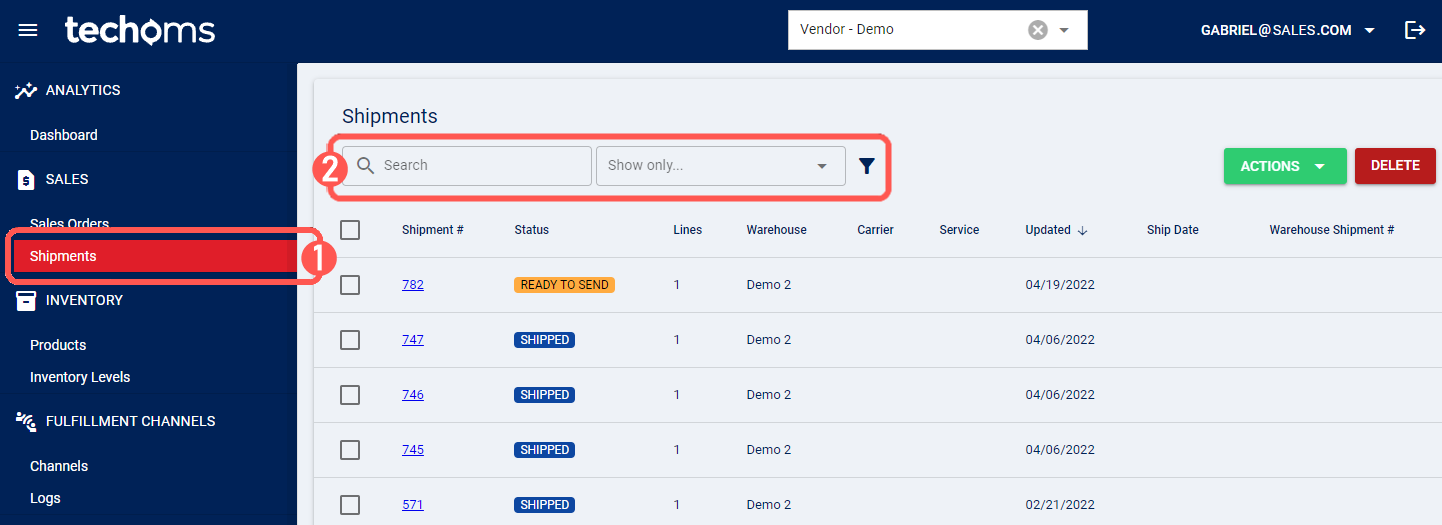
1. Click Shipments under Sales
2. Filter information by any of the possible ways
- Quick Search: Enter the value you are searching for in the search bar, which will look up for all the shipments that match it; as you enter the value, it will gradually narrow down the results to a unique shipment if you specify a full shipment number
- Quick Group Search: Choose an option from the dropdown, where you will find preset options based on time thresholds, shipment status, shipments requests and updates
- Advanced Search: Click in the Filter icon by the Search Bar to deploy the advanced fields and complete them accordingly
QUICK GROUP SEARCH

ADVANCED SEARCH

3. Review the information that has been filtered