How to export Carriers in file format [Step-by-Step guide]
Last updated: September 29, 2026
Exporting your Carriers list has two main uses:
- Exporting the list to perform maintenance (add/remove/update) and reupload
- Obtain the source file/format for new uploads
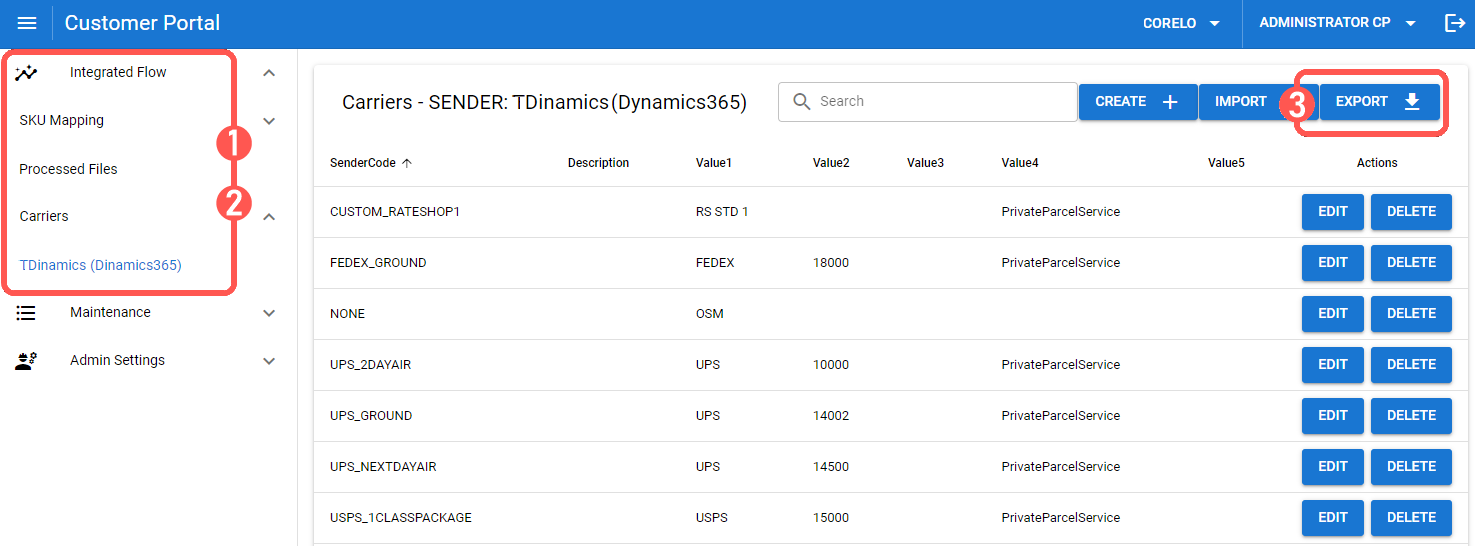
To do so:
1) Click Integrated Flow / Carriers
2) Click the Sender of which you want to export the Carriers
3) Click the Export button