How to delete a Carrier [Step-by-Step guide]
Last updated: September 29, 2026
You are able to delete Carriers manually.
To do so:
1) Click Integrated Flow / Carriers
2) Click the Sender where you will delete the Carrier
3) Click the Delete button
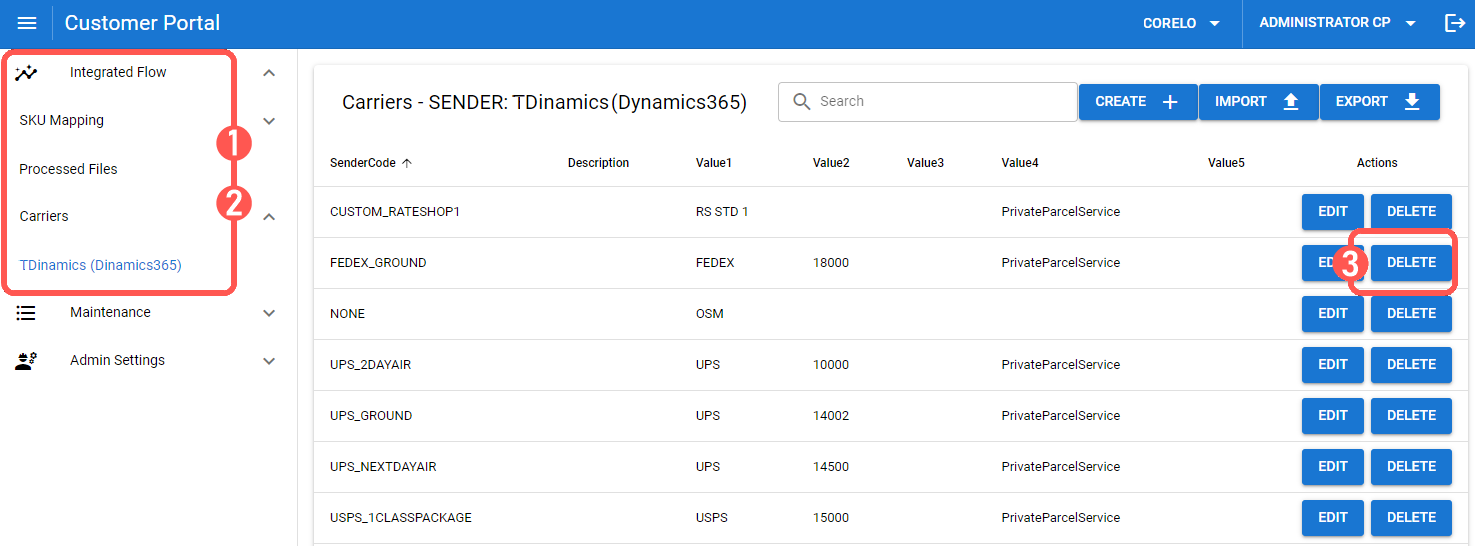
4) Confirm the action by pressing OK
