How to Export Shipment Information [Step-by-step guide]
Last updated: September 29, 2026
You can Export Shipment information within techOMS.
This article describes how to generate a CSV file with the selected data, the steps and fields involved in the manual process.


To export a Shipments list you will have to:
1. Click Shipments under Sales
2. Click Actions to deploy the fields for creation
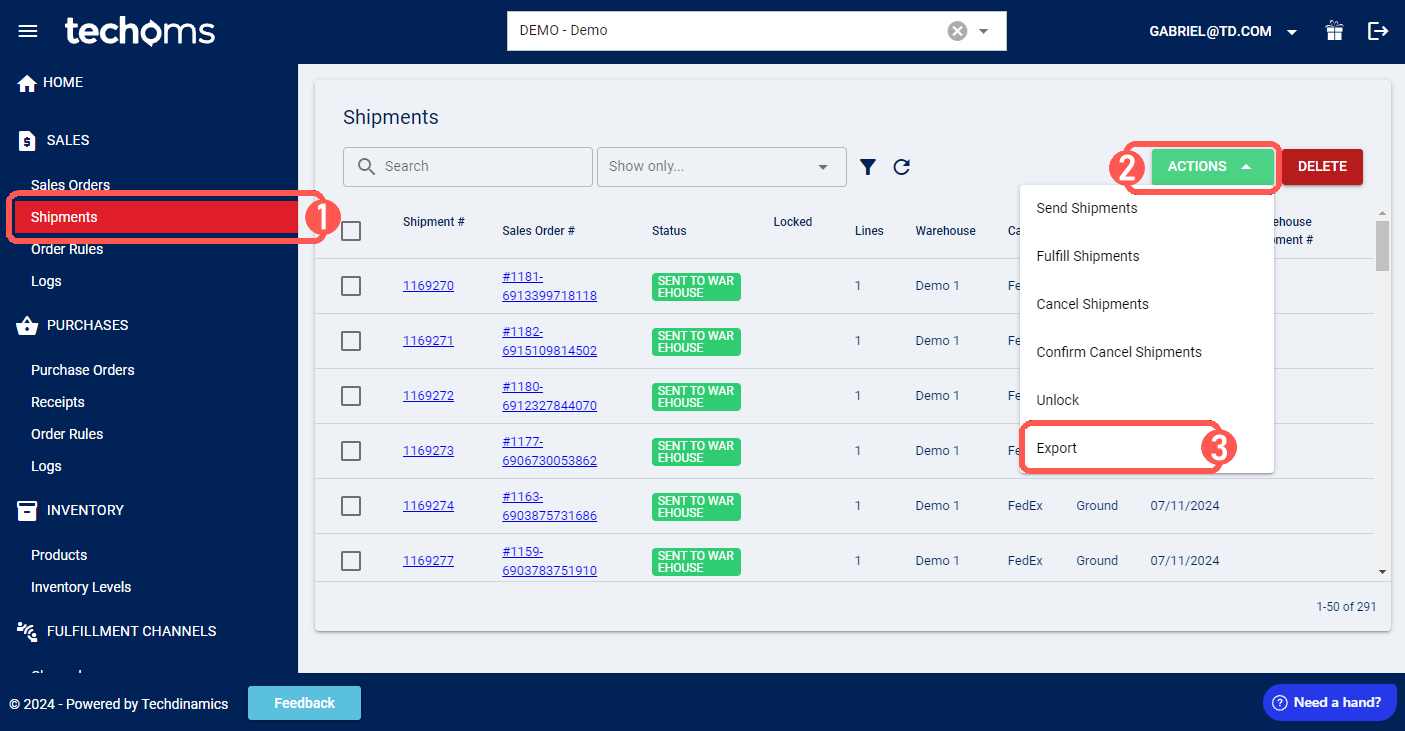

3. Press Export
4. Select the file destination and Save
techOMS will download a CSV file containing the information you chose to export in the folder you selected.