How to delete Shopify Webhooks [Step-by-step guide]
Last updated: September 29, 2026
When maintaining your Shopify connection, you can delete Webhooks you have previously set up.


To do so, you will have to:
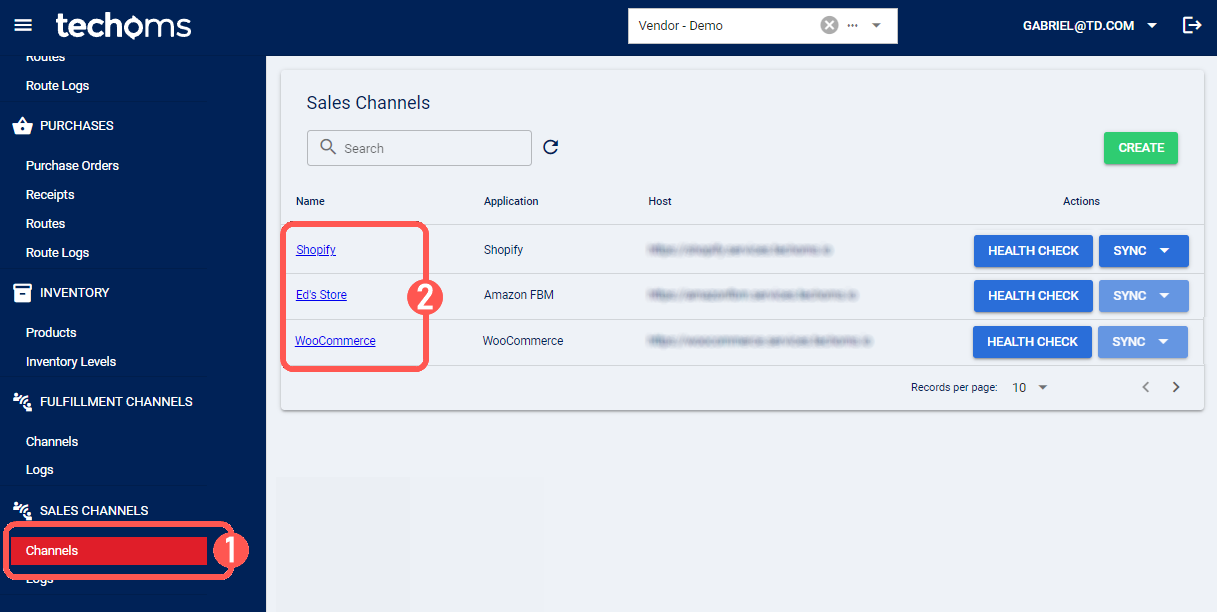
1) Select Channels under Sales Channels
2) Click on the Shopify channel's name in the list
3) Select the Webhooks Tab
4) Press Delete for the connection you need to remove

5) Press OK to complete the process