How to Export Alternate Products as a CSV file [Step-by-step guide]
Last updated: September 29, 2026
You can export the alternate products you have set up, added and/or imported to techOMS as a CSV file.
This article reviews the steps to do so.


To export the alternate products you will have to:
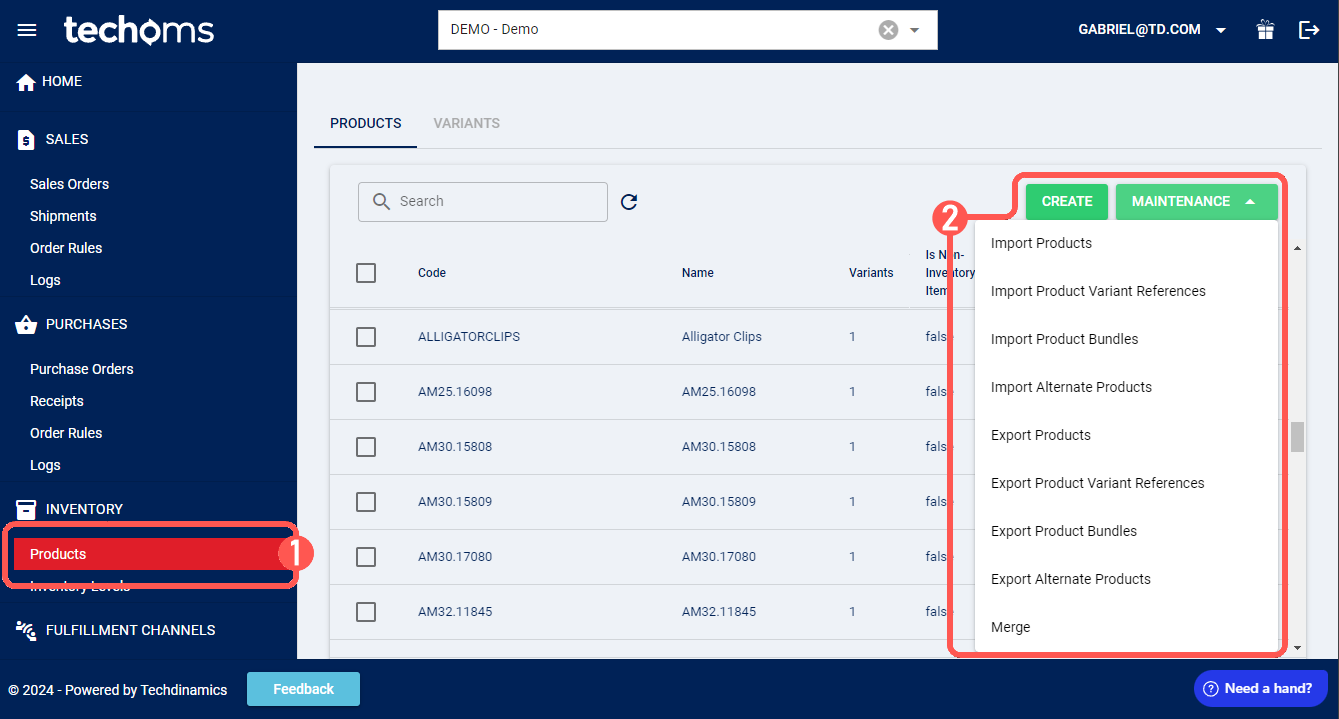
1. Click Products under Inventory
2. Click Maintenance and select Export Alternate Products from the dropdown list
3. Select the file destination and press Save