How to Export Products as a CSV File [Step-by-Step Guide]
Last updated: October 30, 2026
You can export the products you have set up, added and/or imported to techOMS as a CSV file.
This guide covers the steps to export your products from techOMS and explains relevant information in the generated CSV file.
To export the products, you will have to:
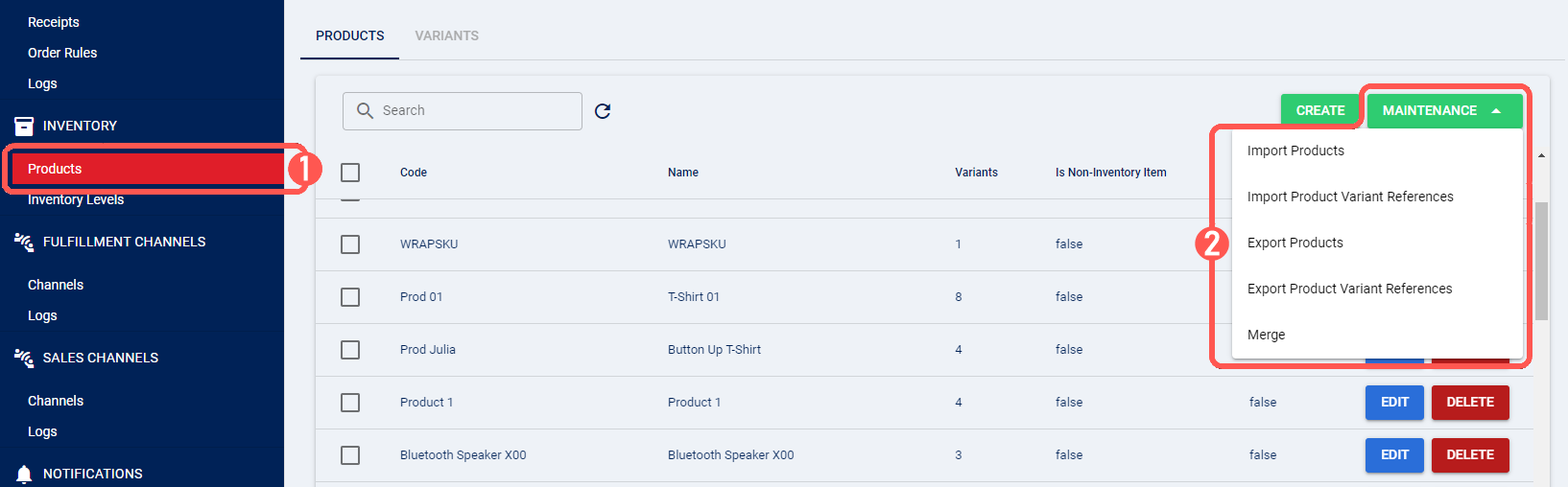
Click Products under Inventory
Click Maintenance and select Export Products from the dropdown list
Select the file destination and click Save
After you click Save, techOMS saves the Product Catalogue CSV to your selected destination. You can open the file to review the exported Product Variant data and its current column layout.